Drawing Timer
Turn selected Eagle images into timed drawing references, with free timing, built-in practice presets, and custom sessions.
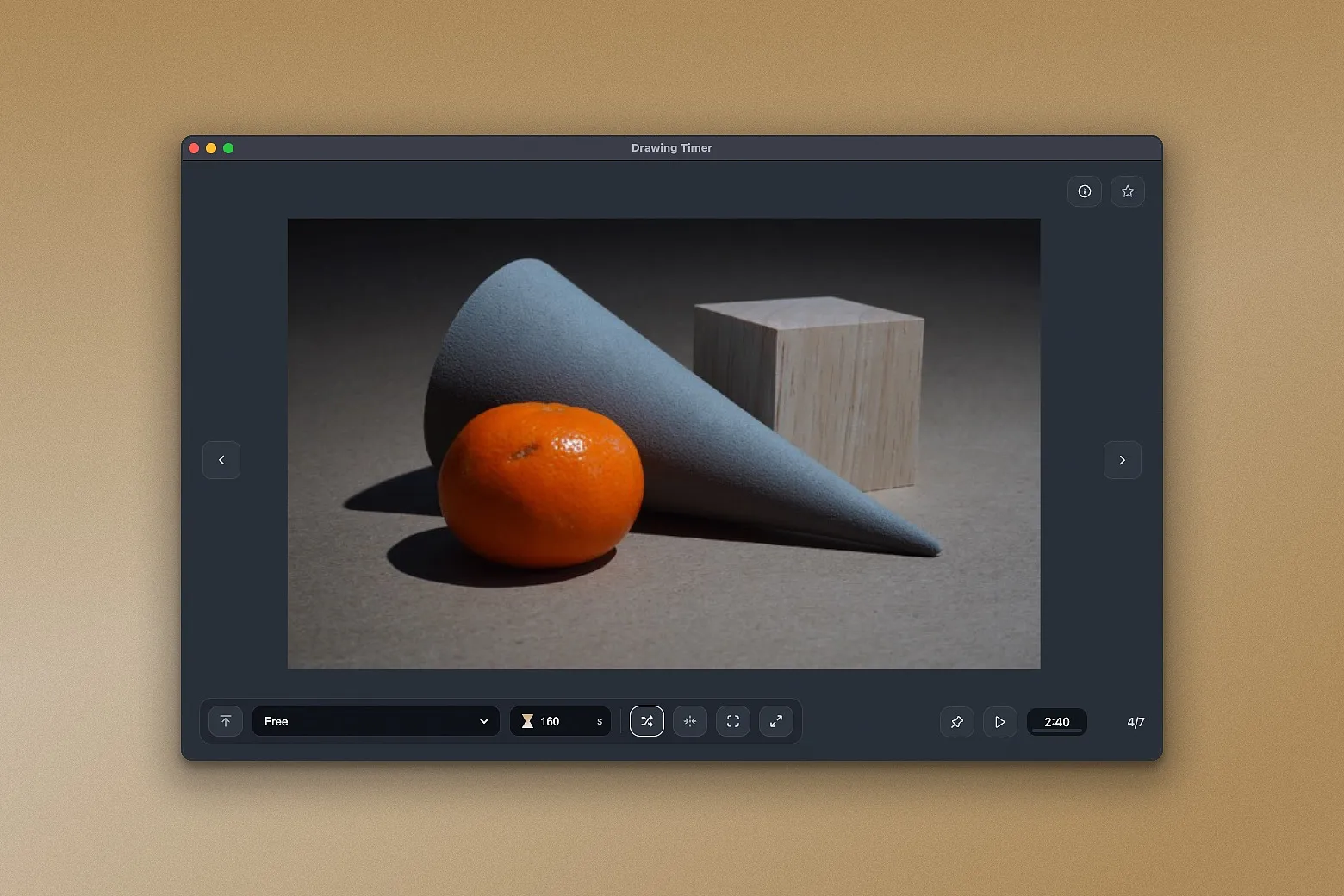
Drawing Timer turns your selected Eagle images into timed references for gesture, pose, and everyday drawing practice.
- Plan your practice: Set a duration per image in Free mode, choose a built-in preset, or create a custom mode with multiple blocks of duration × image count. Custom modes can continue in cycles or end with a summary of active practice time and completed references.
- Adjust your view: Shuffle, mirror, switch between contain and cover, enter fullscreen, zoom with the mouse wheel, and drag to pan. Keep the plugin window above other applications when supported by your runtime.
- Study the reference: Apply black and white, blur, high contrast, or black and white + blur, and add a grid with an adjustable line count. These effects change only the display inside the plugin; they do not modify the original images.
- Mark and locate images: Use “Mark for later” to add the Drawing Timer tag to the current Eagle item, then toggle it again to remove the marker. This does not change its star rating or unrelated tags. Use “Locate image” in the image information panel to find the current item in Eagle.
- Keep your settings: Preferences, filters, grid settings, and custom modes are saved locally for future sessions.
Get started: Select images in Eagle, open the plugin, and click “Load selection.” Choose a mode and press Play. Pause whenever needed or use the left and right arrows to move between images.
- Added an explicit warning before permanently deleting a custom mode. The confirmation identifies the mode and all affected duration × image-count blocks and states that deletion cannot be undone. Canceling preserves the mode.
- Corrected the store introduction and review notes to describe tag-based markers instead of star-rating synchronization. “Mark for later” adds or removes the Drawing Timer tag without changing existing ratings or unrelated tags.
- Fixed image path resolution issues for selected Eagle items.
- Improved loading reliability for local image files and fallback URL handling.
- Improved session restore and general plugin stability.
- Refined Eagle integration for item access and window behavior.
- Cleaned the release package to include only required runtime files.